Distaster...

As I mentioned in my previous post, the registry of my laptop got messed up yesterday and I spent whole last night collecting bits and pieces of any of my data I could back up. At around 4 in morning, I was able to start the fresh installation of OS. Halfway, I realized that I forgot to back up some important files and designs... Its just not a stupidity but its a huge disaster for me... I have to check all my past backups (spread over many CDs and external hard drives on how much is retained there) and with the time running out of my hand, its further disaster...

I also forgot to back up all wireless connections profiles and now, I am stuck with only few connections whose passwords I remember. Since this laptop does not have my favorite firewall and Linux, I will have a hard time in riding public WEP protected networks.

Anyway, better I spend time in restoring my backup...

My stupidity

Few days back, I received Adobe CS3 Master collection and tried to install it. Just before this install, I had installed Symantec End Point Protection 11.0 and my original AVG updated its virus definitions that morning. Things started going wrong after these installs and at one point of time, I could not even connect to my office wireless router. Turning off the firewall and other processes, I could connect to the router but that was not something I was prepared to do every time. So, last night, I started checking the registry and I found so many wrong and unwanted entries in it. I also found few entries which showed some intrusions in my computer. So, I cleaned up those entries manually. Later, when I rebooted the machine, it started popping up lots of error messages... Thinking that I messed up with the registry, I restored the system to couple of days back configuration to rule out any issues with Symantec End Point Protection or Adobe CS3 collection. This system restore reported renaming of many directories and Adobe CS3 was part of it. Once system booted to normal, when I tried to connect to my home wireless router, it did not. After tweaking a bit with the wireless setup, I could manage to connect but then I could not browse to any web sites. It was strange that I could ping to all those web sites though. So, till 3am this morning, I tried to fix all different problems and ended up with further messing up the registry.

This morning, with a cool head, I tried to see the damage and found that while I cleaned up some entries of registry, auto update brought some fresh entries in the registry which created conflicts for Windows Installer and InstallShield uninstaller. It left me in such a mess that I could not uninstall Adobe components.

Since most my design outputs are PDFs, I have to have Adobe's PDF maker/Distiller in working condition. But Outlook, Visio, AutoCAD and all other software could not load any of Adobe Plug-Ins.

I tried to run few registry repair software but none could help.

So, now, my laptop is undergoing a format and reloading of OS and all other software... After installing these software, upgrading them to the latest ones from Internet would be the next step and then would be the restoration of the backup...

I am getting prepared to spend another night in front of my laptop...

Unlocking the locked ones

Few days back, I got a locked N73 and the main challenge was to unlock it.

N73 is a different model of Nokia and can not be unlocked as easily like unlocking Nokia's old models like 6230i etc.

Most new generation Nokia cell phones are using Symbian OS and since I am very little exposed to this OS, I could not do anything to log on this phone and check any loop holes to unlock.

So, I searched on the Internet and came across a site on www.imserba.com at http://www.imserba.com/forum/showthread.php?t=110552&page=2.

Its indeed very interesting forum and there I found out a techie word "unbranding".

I followed the instruction mentioned on this forum and tried to unlock my N73 but it seems my N73 is as adamant as Sissie that it just does not want to unlock/unbrand...

I contacted the forum creator "joneywalker4u" and he suggested few additional steps to perform. This evening, I performed those steps but the phone is still in Sissie mode...

Below are some of the pictures of this process for "joneywalker4U" to review the process and suggest me next method...
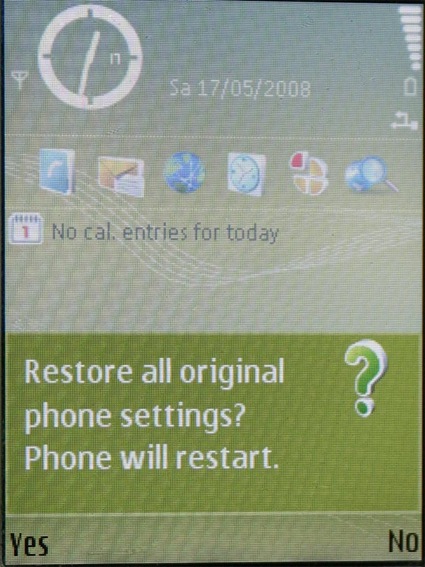
Restore
Above screen appears as a result of *#7370# to reset the phone. It then asks for the security code and then resets the phone.
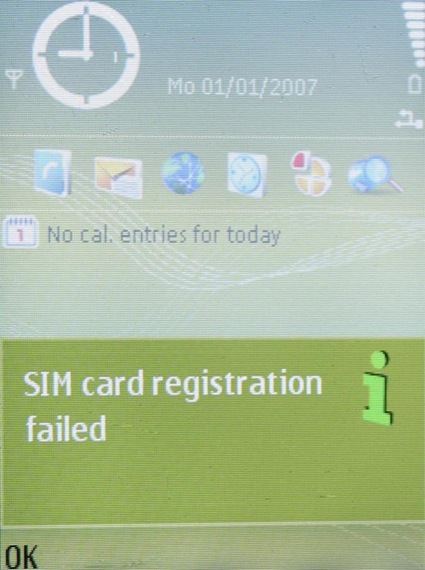
RegistrationFailed
After reset, the phone boots with original O2 card and since this SIM does not have a roaming activated, it failed to register to my local network.
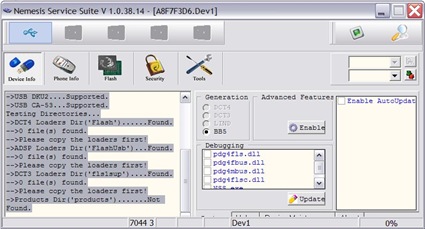
NSS-DeviceInfo
NSS generates some messages as shown on "SCAN".
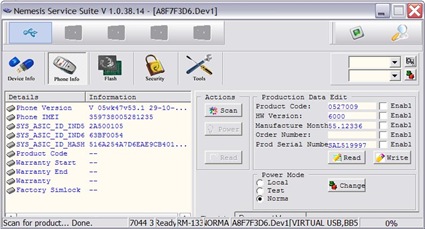
NSS-PhoneInfo
Phone Info on NSS generates above screen. You will notice the product code, HW version and other details as I issued 'read' after changing the product code.

I later used product code 0543843 derived from a friend's unlocked N73 and then wrote that product code in the phone.
 Nokia-Reinstall
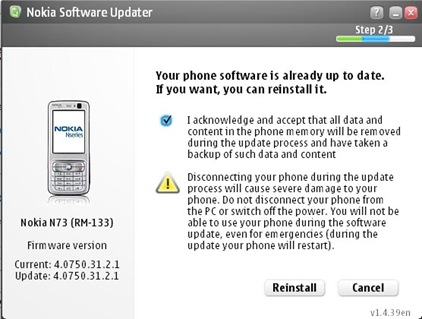
NSU detected the phone and suggested the latest firmware version to be 4.0750.31.2.1. Since I did upload this firmware earlier, current and update versions are same in above screen shot.
NSU-SoftwareDownload
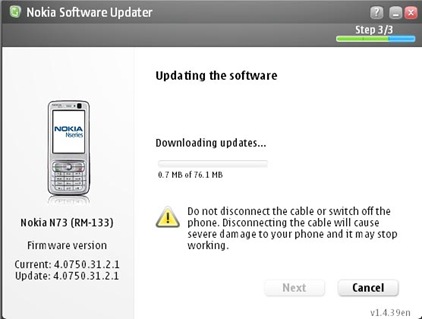
As I did erase earlier version from the cache, the firmware was downloaded from Nokia site and then on the phone.
Nokia-Updating
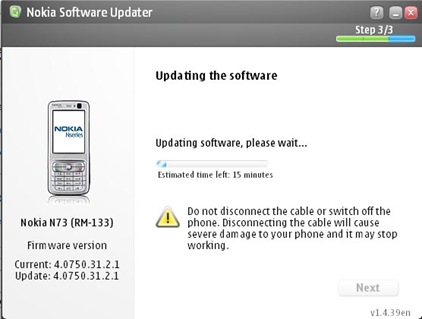
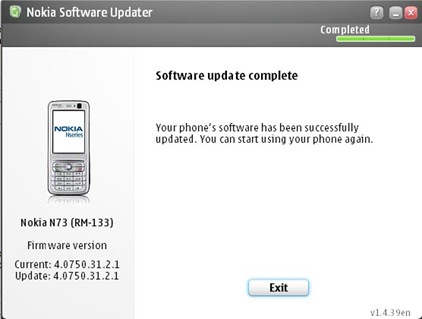
After downloading the firmware, NSU updated the software on the phone and finally produced below screen shot. 
Nokia-UpdateComplete

I then replaced original O2 SIM card with my local Airtel one and rebooted the phone with a hope that the phone would accept this SIM... But unfortunately, this N73 is no different than Sissie as it still wants to remain unlocked with a message "SIM card not valid!"...

I will write to JoneyWalker4U again and send him this link so that he can suggest something.