Unexpected Outing: Sun Temple of Modhera

Jim has been here since few days and as we are ahead of schedule for our projects deadlines, on Sunday morning, we managed an outing to a nearby Sun temple in Modhera. It was built in 11th century and was partially destructed during Mogul era . But the remains hint at how beautiful and well planned it was.

When we reached, it was 20 mins past noon time – just bad time for any interesting photography.

Sun Temple - Sabha Mandap FrontThis is that famous visual of this Sun temple. Till now, I thought that this is the temple where deities were installed but it is actually an open air auditorium (Sabha Mandap) of the temple.

Sun Temple - Sabha Mandap and MandirThe real temple is behind this Sabha Mandap.

Sun Temple - Mandir LeftThis is the temple where deities were installed and worshipped in the time of King Bhimdev in 11th century.

The temple looks very beautiful.

Sun Temple - Mandir Front Right

Sun Temple - Mandir BackSun Temple - Mandir Back Right

It’s walls have interesting carvings all over…Sun Temple - Mandir Carving 01Sun Temple - Mandir Carving 02Sun Temple - Mandir Carving 03Sun Temple - Mandir Carving 04Sun Temple - Mandir Carving 05

The auditorium also is breathtaking…Sun Temple - Sabha Mandap Front with Step Well 03Sun Temple - Sabha Mandap LeftSun Temple - Sabha Mandap Front Left

Sun Temple - Sabha Mandap - Back RightSun Temple - Sabha Mandap Front with Step Well 01Sun Temple - Sabha Mandap Front with Step Well 02The step well in front of it has made it unique architecture…

Sun Temple - Step Well 03Sun Temple - Step Well 05Sun Temple - Step Well 07Sun Temple - Step Well 04Sun Temple - Step Well 06 NewSun Temple - Step Well 08
The steps are so perfectly made that entire well is a geometry delight.

Sun Temple - Step Well 01Sun Temple - Jim at Step WellAnd Jim was kind enough to pose for me Smile!

Saga de Ammerika - 2011

When you are offered luxuries on a regular basis, it forms an expectation of such favors on a regular basis. That’s what happened to me when I boarded Emirates flight from AMD to New York via Dubai . For all my past travels, I was upgraded to Business class and thus I was expecting the same this time. But this time it did not happen… too bad too bad!

At Dubai airport, things were as usual.

IMG_0323Starbucks counter was full and a long queue turned me away from a morning spell of Cappuccino.

Costa - Dubai AirportI then walked to Costa counter and my favorite seat was occupied… After loitering for a while, I boarded a flight to JFK. Being Friday, this flight was full and I missed my 4-seat-bed this time.

Mitulbhai came to pick me up at the airport and I spent rest of the day at his place.

Darshan HomeNext day, Darshan brought me to his place.

Beside delicious food of Disha and Aruna aunty, one of the major attractions at Darshan’s place is to see Darshan’s daughter Arya growing up…

AryaThis is how she was when I visited her in October 2009…

Arya - One Year OldThis is how she looked in March 2010.

Arya - ReadingAnd this is how she is now in June 2011…

She loves posing and throwing her cute smiles in front of camera…Arya - Six monthsArya - One Year SmilingArya - Gardening

But beware… if you go too close to her… Arya - AngryAs Darshan says, she is a prefect drama queen!

From Philadelphia, I flew to Orlando. Bhavesh came to pick me up and brought me to his new house he bought few months back.

Bhavesh New HomeIt’s a beautiful house and almost double then his previous one.

InfoComm2011Next three days, Bhavesh and I attended InfoComm 2011at Orlando International Convention Center.

Orlando MallAll three evenings, we loitered in few different malls to find a specific pair of Adidas flip flops… Starbucks-JavachipWe were at Orlando Mall one evening where I had my first (and only) Java Chip of this trip…

I then flew back to Philadelphia and stayed at Darshan’s place for a couple of days. I spent my last night at Mitulbhai’s place and attended Yogesh’s baseball game that evening.

4 seats bedOn my return flight, I was lucky to get a 4-seat-bed!

MacbookProOn last day of this trip, J-Lo asked me to get a Macbook Pro from B&H… He exchanged it with the 13” MBP he had given me earlier… It has replaced my long-time companion Dell’s Latitude E6500… As I can’t find Visio, Outlook (Native MAC version of Outlook sucks big time) and other few software I use everyday, I am using Windows 7 on Bootcamp for a while. Once I find a better email client and Vision equivalent program on OS X/Lion, I will see if I should go native on MBP.

Oh No! Yet Another iPhone Post…

This morning, I decided to give iOS 4.3.2 a go on my iPhone4 and iPhone3GS especially to check how its Personal Hotspot feature works.

I downloaded iOS 4.3.2 for both iPhones and downloaded to the phones via iTunes. As soon as both  the phones were restored and synced, I checked the personal hotspot feature in Setting…

iPhone4-Setting
I was happy to see iPhone4 showing the personal hotspot.

iPhone4-PersonalHotspot
Selecting Personal Hotspot further revealed that it can be used 3 ways - either using WiFi, Bluetooth or USB cable. Once Airtel starts offering 3G in Gujarat and I can opt for it, this would be an interesting way to check what throughput I will get on it.

I then tried to check the personal hotspot on iPhone 3GS. It was originally on iOS 4.0.1 and to avail, I first upgraded it to iOS 4.3.2.

iPhone3-NoPersonalHotspot
Upon checking Settings, I found no menu item for Personal Hotspot the way iOS 4.3.2 showed it on iPhone 4.

I then quickly Googled it and found from this page that Personal Hotspot for iPhone 3GS is buried under General->Network setting.

iPhone3GS-PersonalHotspot-Main
The page mentioned that Personal Hotspot on iPhone 3GS is available only through Bluetooth or USB. I wanted to check it but somehow, the option kept of spinning indefinitely but did not get further in…

Suspecting the lack of 3G service on my Airtel SIM, I loaded the phone with BSNL CellOne 3G SIM. iPhone3GS-CelularDataNetwork
The Network menu now showed “Celular Data Network”. It still did not show 3G connection as I had not setup APN.

iPhone3GS-CelularDataAPN
After  setting up BSNL’s 3G APN, 3G icon did show up.

iPhone3GS-InternetTethering
Scrolling further down on this screen, I saw the famous “Internet Tethering”! Why famous? Till Apple came up with this personal hotspot feature, there were plenty of Jailbreak applications used for Internet tethering. And in jailbroken iPhone community, internet tethering applications allowed the users to tether the internet without paying for it. I set up the APN value there too and I was now ready for personal hotspot on iPhone 3GS.

iPhone3GS-PersonalHotspot
The parent menu now showed the personal hotspot option. iPhone3GS-PersonalHotspot-Main
Going inside it, gave me a choice to turn it on/off and two ways I can connect.

I then tried to tether Internet on Macbook Pro. I connected the iPhone 3GS to Macbook Pro and it immediately showed this notification…
iPhone3GS-PersonalHotspot-Connection

InternetTetheringOnMacBookPro
On Macbook Pro, System Preferences also confirmed the connection.
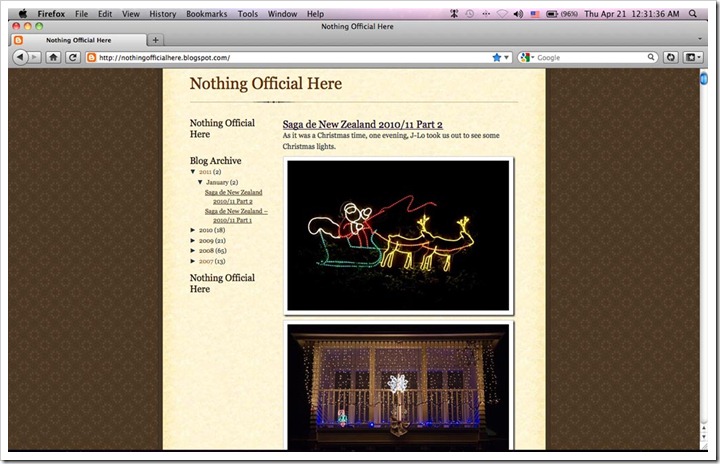
NothingOfficialHereOnMacBookPro And browsing on 3G was indeed faster than my DSL broadband connection!

Since this is an iPhone post, let me also write about how I used it in recent past…

Bangaluru Airport Barista Barista at Bangaluru airport… Captured on iPhone with HDR turned on…

Swar
Our newest and youngest Barista member Swar!

ParagAndSwarLaughingSwar
Only few months old, but he seems to be loving Barista…

HG-JLoRomance
Romantic blending…

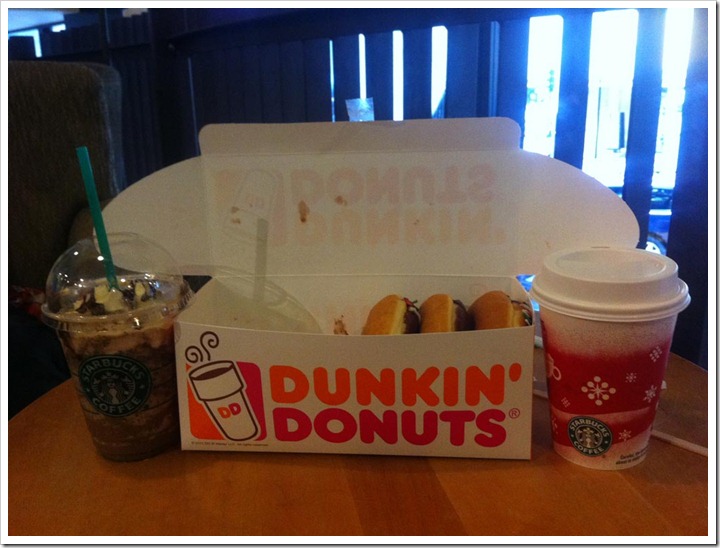
DunkinDonutsAndStarbucks
… and interesting blending… Dunkin Donuts and Starbucks Coffee!

KunsViralKuns and Viral… Attacking Rumali Roti!

Luda
Luda- the Sally lady!

LudaAndJohnShe and John traveled to India from Jacksonville! John is enjoying his ice-cream…

JohnSalsbury
…and he enjoyed his cone too!

IndiGo-IndiPoWe flew IndiGo airline from New Delhi to Ahmedabad and while waiting for luggage at the belt, I noticed below sign… Any idea why it said IndiPo to Chennai and not IndiGo to Chennai? Go figure!!!